← BackPersonal Project · 2026

Product Design · Vibe Coding

Time Tracker.

Problem statement

We budget money down to the dollar but almost no one budgets time. Where does your time actually go — and can you see it clearly enough to spend it on what matters?

Role

Product partner — set the concept, the four life pillars, and the "spec first" approach; Claude Code built to the spec.

Platform

Web app

Timeline

March 2026 — spec first, then built to it

4

life pillars

1

categorization rule

0

databases in V1 — on purpose

Hero image — to come

The concept

Budget your time the way you budget money

A budget app breaks your spending into categories so you can see where the money goes. Time Tracker does the same thing with your week. Four life pillars — Family, Self-Care, Socialization, Career — each with a target share of your time. The app shows you the actual breakdown next to the one you intended.

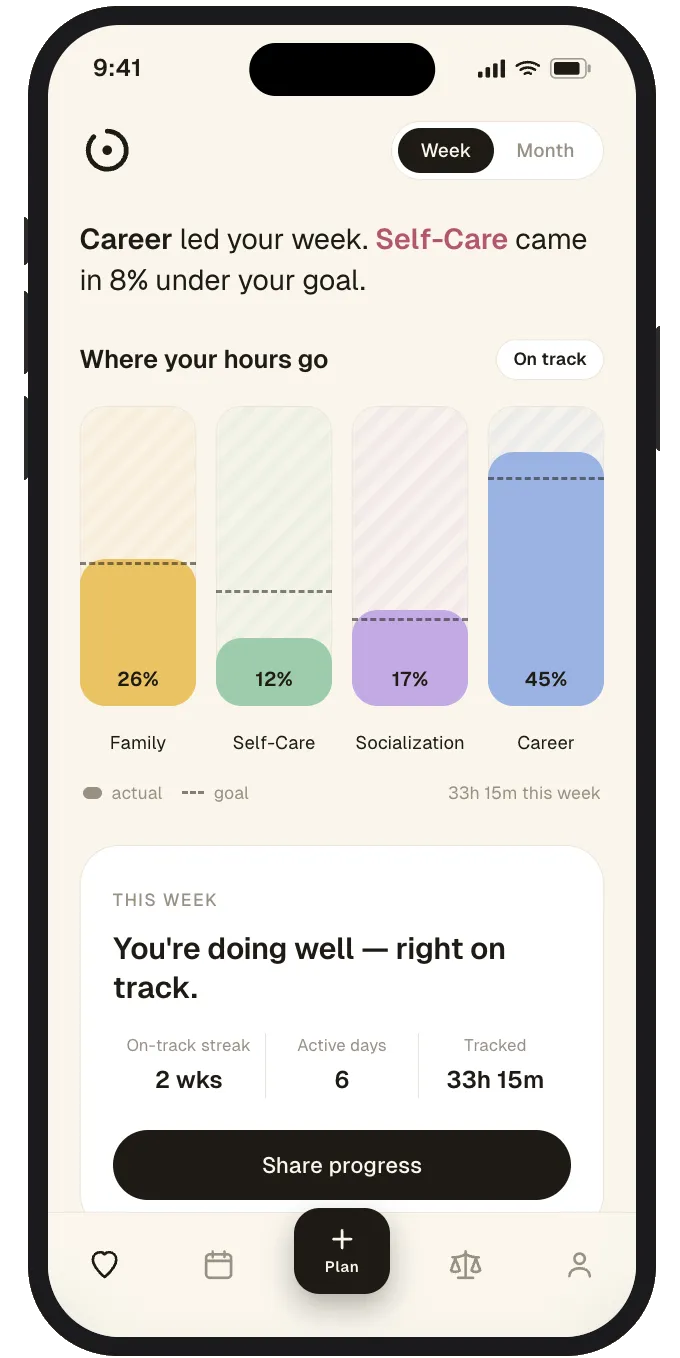
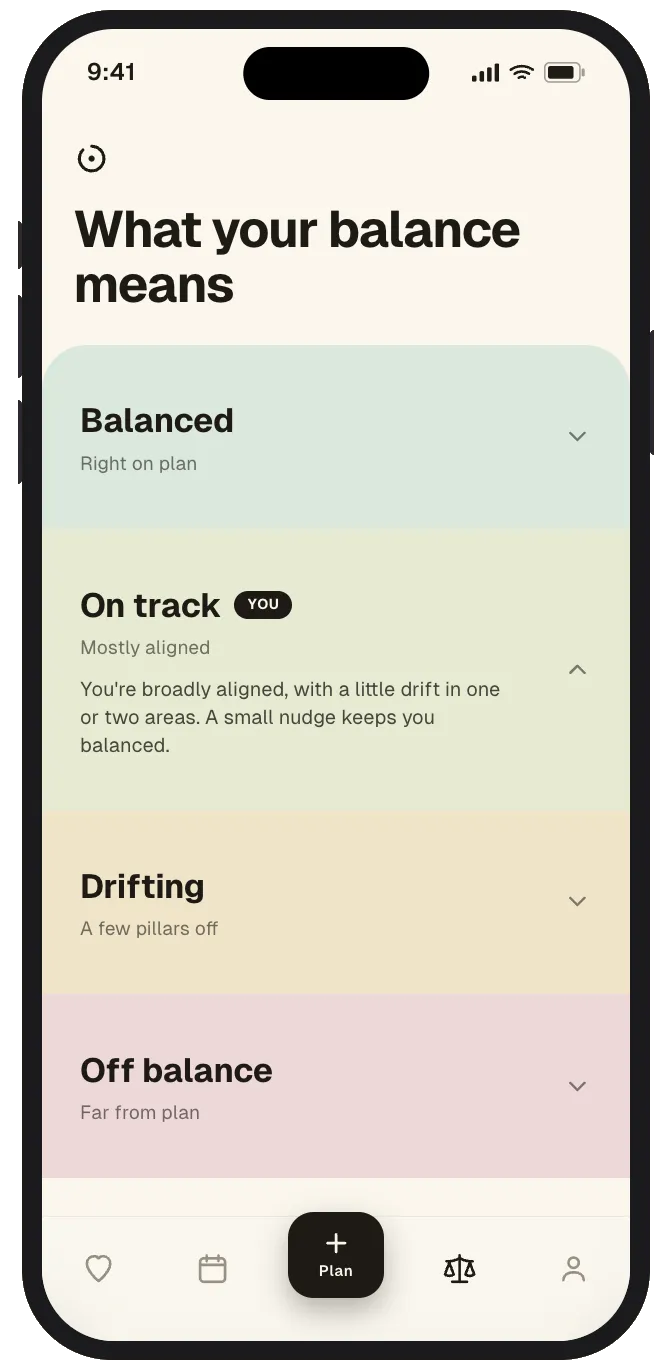
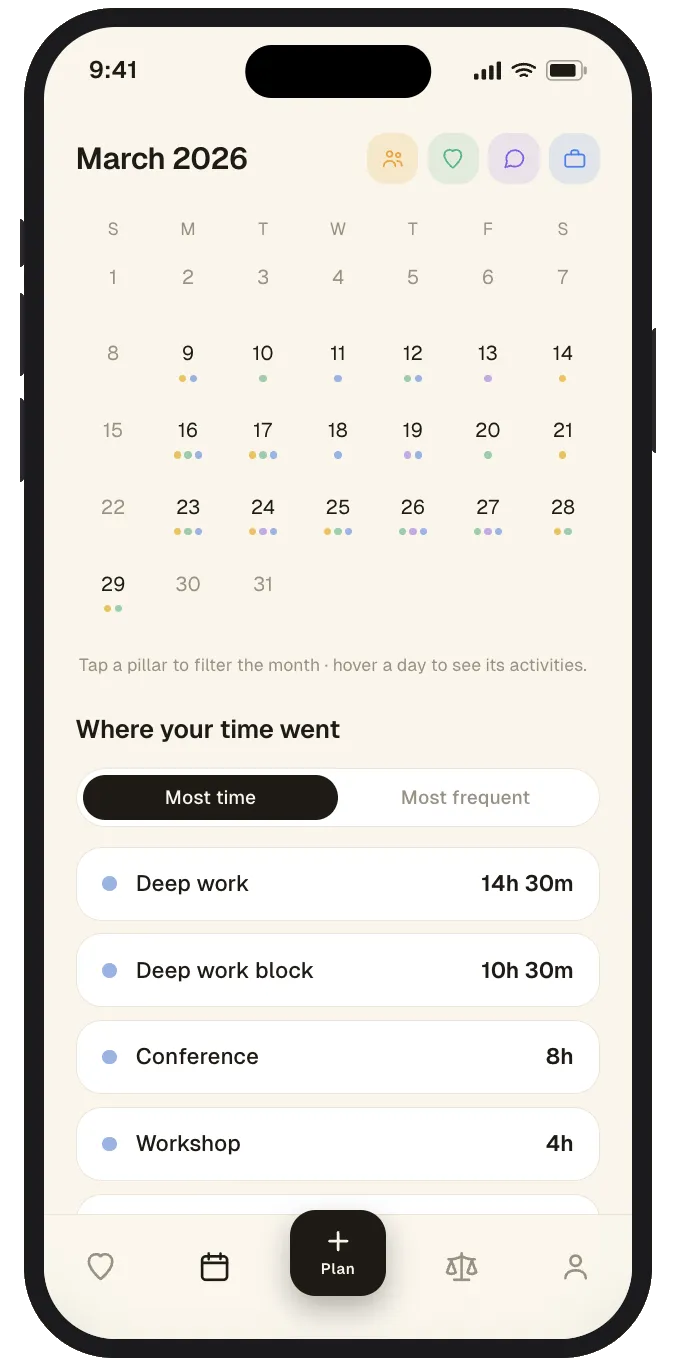
The primary view puts each pillar next to its target as a bar — where you went over, where you came up short — exactly like a budget flags the category you blew past. On top of it sits a plain-English balance read: Balanced, On track, Drifting, or Off balance, so the numbers resolve into a single judgment. And you can drop into any week to see the actual sessions that filled it. The point isn't to track for tracking's sake — it's to make an invisible thing visible enough to act on.

Each pillar carries its own target, so the dashboard always has something to measure against:

Familytarget 25%
Self-Caretarget 20%
Socializationtarget 15%
Careertarget 40%
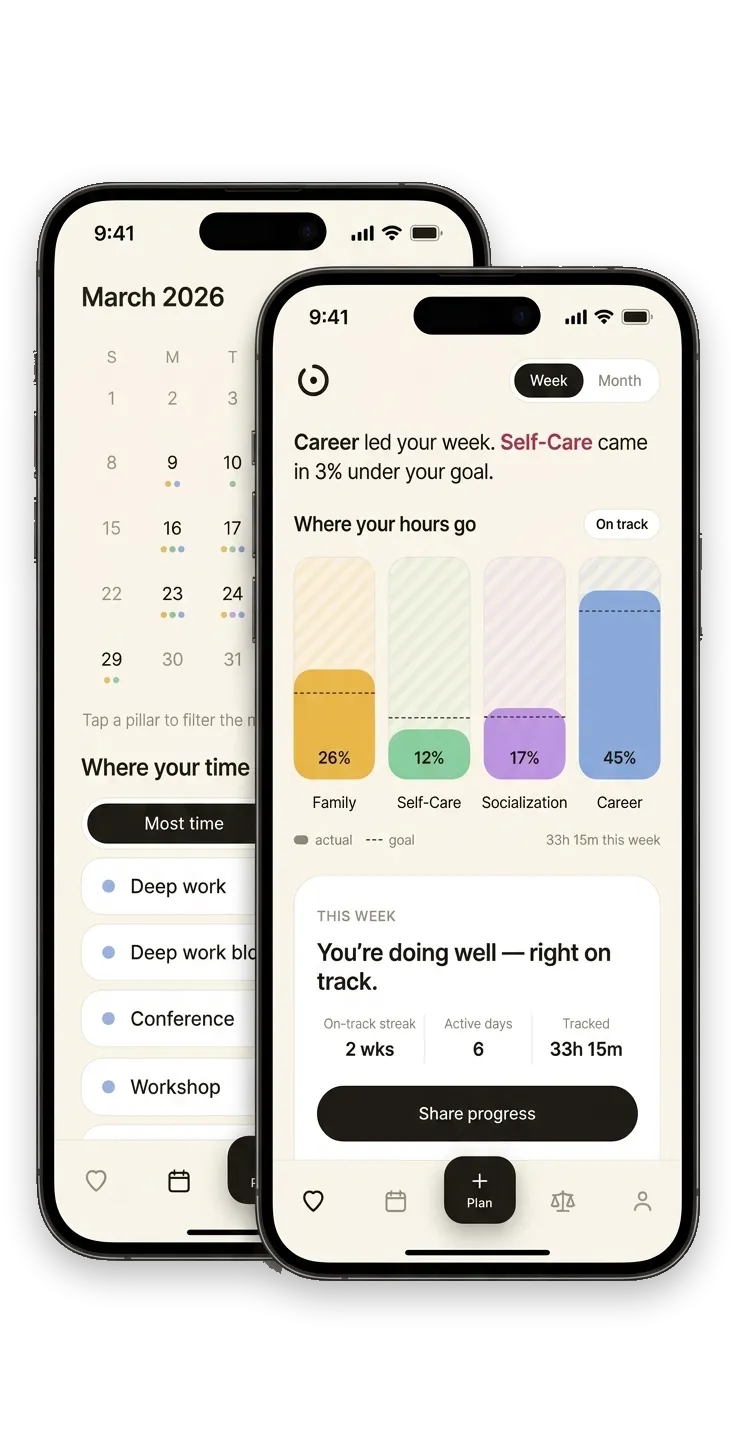
V2 dashboard — a week of time across Family, Self-Care, Socialization, and Career, each measured against its target
The dashboard — each pillar next to its target
Balance states — Balanced, On track, Drifting, Off balance — the plain-English read on the week
The balance read: where you land, in one word
Where your time went — the calendar and the actual sessions behind a week, sorted by most time or most frequent
Drill into any week to see the sessions that filled it

The decision

One rule keeps the whole thing honest

The hardest part of any tracker isn't the chart — it's categorization. The moment one event is allowed to count toward two things, the data turns to mush and the donut stops meaning anything. So I made a single rule and held it: who you're with decides the pillar.

A hike with your kids is Family, not Self-Care — even though it's good for you. Self-Care is strictly solo: just you, recharging. One event, one pillar, no splitting. It sounds almost too simple, but that constraint isthe product. It's what makes the breakdown trustworthy instead of negotiable.

“Who you're with determines the pillar. A hike with your kids is Family, not Self-Care. Self-Care is strictly solo time.”
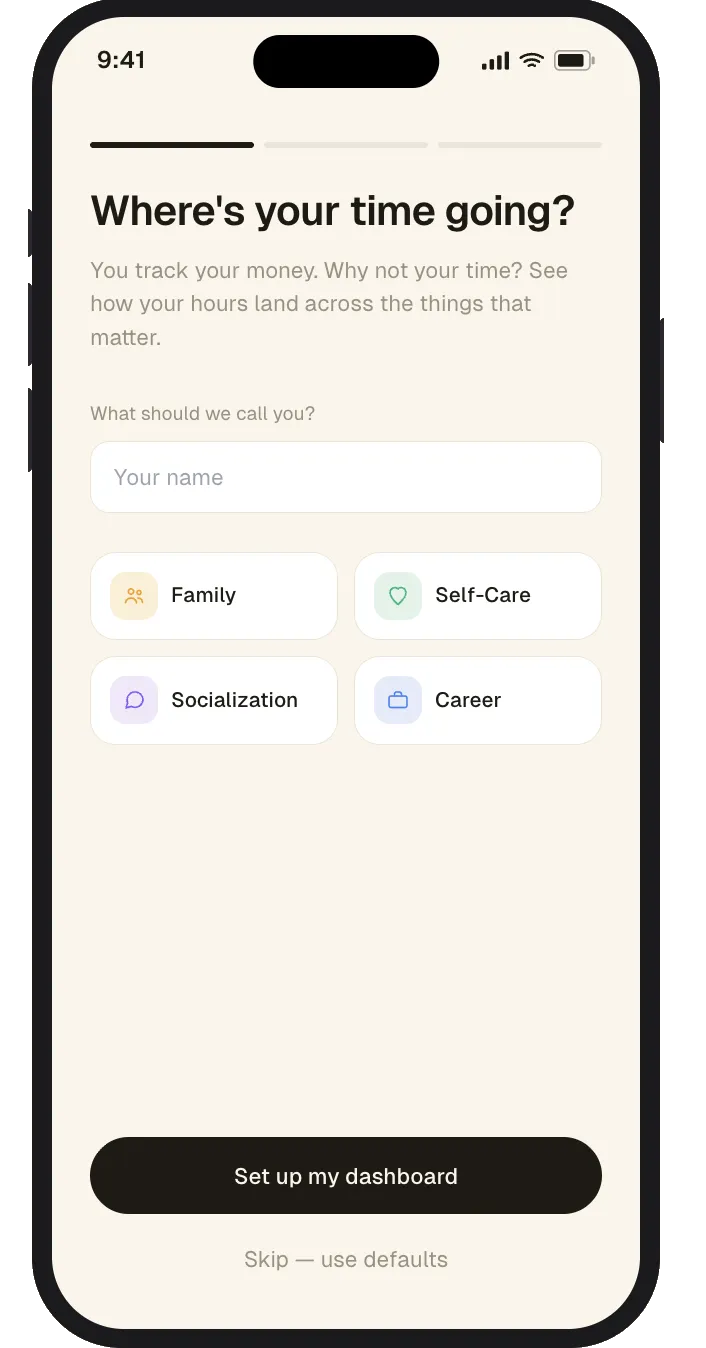
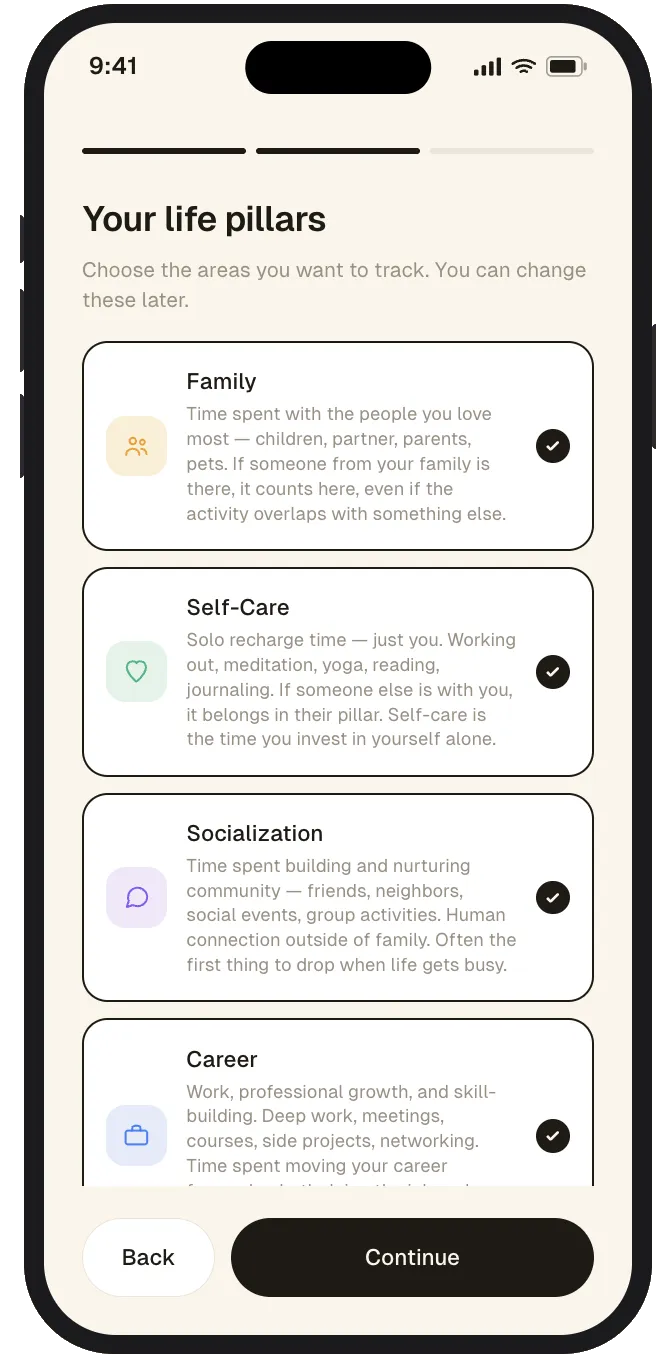
Onboarding step 1 — intro and setup framing
Onboarding · intro
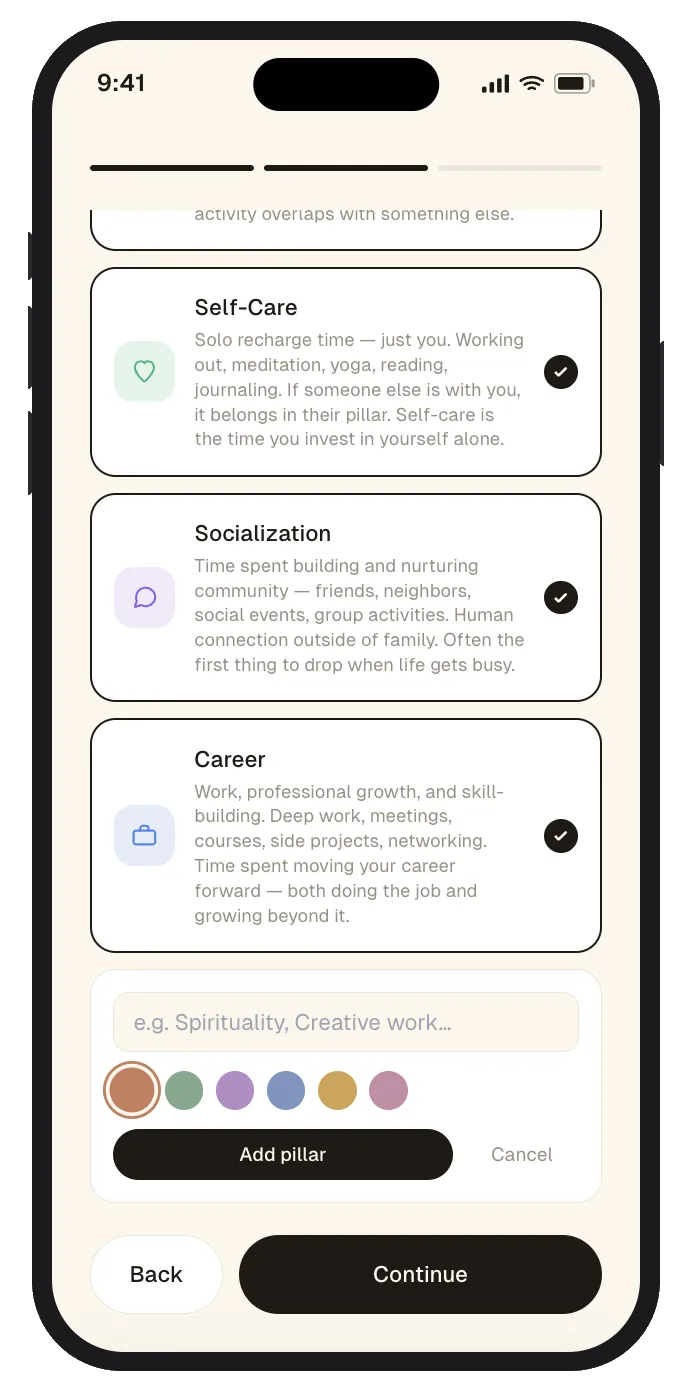
Onboarding step 2 — configuring preferences
Onboarding · setup
Onboarding step 3 — pillar defaults and confirmation
Onboarding · defaults
Onboarding step 4 — completion
Onboarding · complete

Evolution

The donut was the first cut, not the final one

V1 proved the concept on a realistic fake week — deep work blocks, a family hike, coffee with a friend, morning runs — all local, all dummy data, no account and no backend. The bet: if the dashboard doesn't feel useful with clean hand-made data, real calendar data won't save it.

It led with a donut. Pretty, and good at answering “what was the shape of my week” — but weak at the question that actually matters: am I on target? Comparing a slice to a goal means eyeballing two arcs. The one thing V1 nailed was the plain-English read — “Career led the way… Self-Care was a little quieter than you'd hoped” — because a number is information but a sentence is a nudge.

V2 kept the sentence and promoted the goal-versus-actual bar to the primary view, then added an explicit balance state on top. Same data, a read you don't have to decode. Here's where it started:

V1 dashboard — the donut breakdown with pillar cards and the generated insight line
V1 · the donut — shape of the week, weak on 'am I on target'
V1 goal vs. reality — paired goal and actual bars per pillar with plus/minus deltas
V1 · goal vs. reality lived behind a flip — V2 made it the front door
V1 calendar — a month grid with a colored dot per pillar logged each day
V1 · the calendar — a dot per pillar, per day

What I learned

The bottleneck is the decisions, not the code

Writing the spec first changed the whole build. The time I spent wasn't on implementation — Claude handled that. It was on the decisions: what counts as Self-Care, whether to split events across pillars (no), what to refuse to build yet. Vibe coding's bottleneck isn't typing. It's judgment — and judgment is easier to apply consistently when you've written it down.

V2 earned its way to more surface area — the month calendar and the session-level “where your time went” breakdown — by proving the core read first. What's still deliberately ahead is the infrastructure: real Google Calendar sync, auto-categorizing live events into pillars with a manual override for the calls the algorithm gets wrong, and a database to replace localStorage. But only now, because the dummy-data version earned it.

Built with

Claude Code · Next.js 14 · TypeScript · Tailwind CSS · Recharts · shadcn/ui