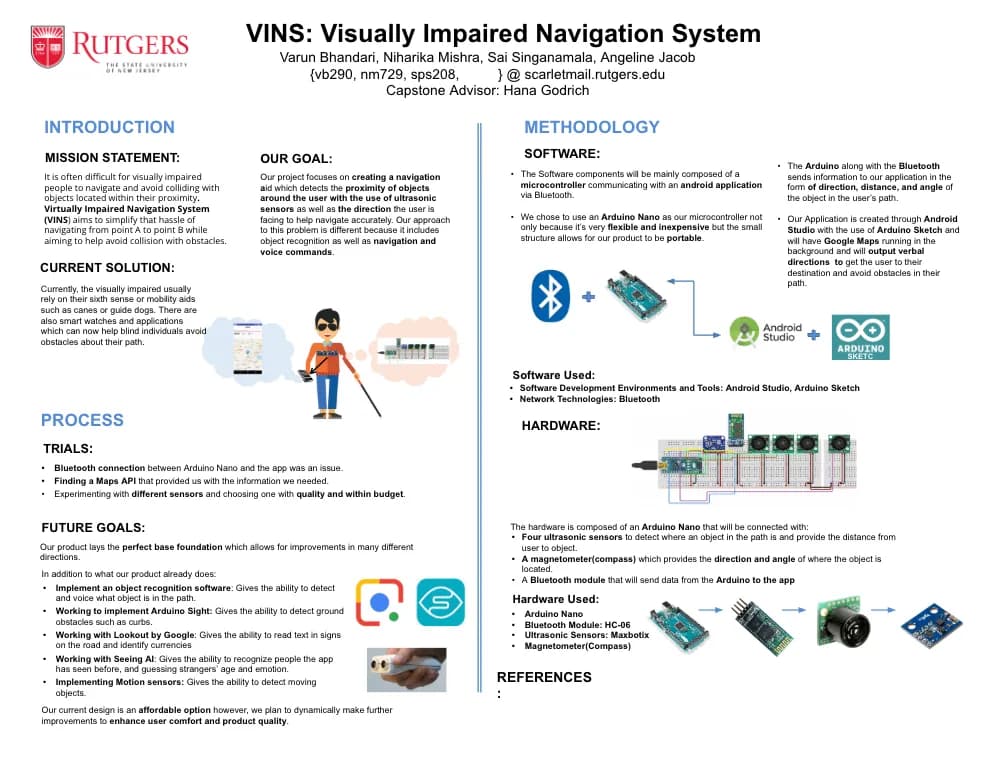
Navigation without sight is a design problem. I designed a wearable tool that combined obstacle detection & route guidance through audio.
Navigation without sight is a design problem
Visually impaired people navigate the world with a combination of memory, muscle memory, and whatever technology they can afford: canes, guide dogs, and a handful of smart devices that each solve part of the problem but none of it completely.
Existing solutions like SUNU (a sonar wristband) or Google Lookout didn't exist back in 2019. No single system combined real-time object proximity, directional awareness, and turn-by-turn navigation in one wearable, accessible package.
Our research started with the navigation tools available at the time: what canes, guide dogs, GPS apps, and early wearable concepts handled well, and where they left gaps. The pattern was clear: route guidance and obstacle awareness were usually treated as separate problems, even though a person moving through the world experiences them at the same time.
We wanted to build that. A system that could tell you: where you're going, what's in your way, and which direction you're facing, all through your ears, hands-free.
One system, two layers
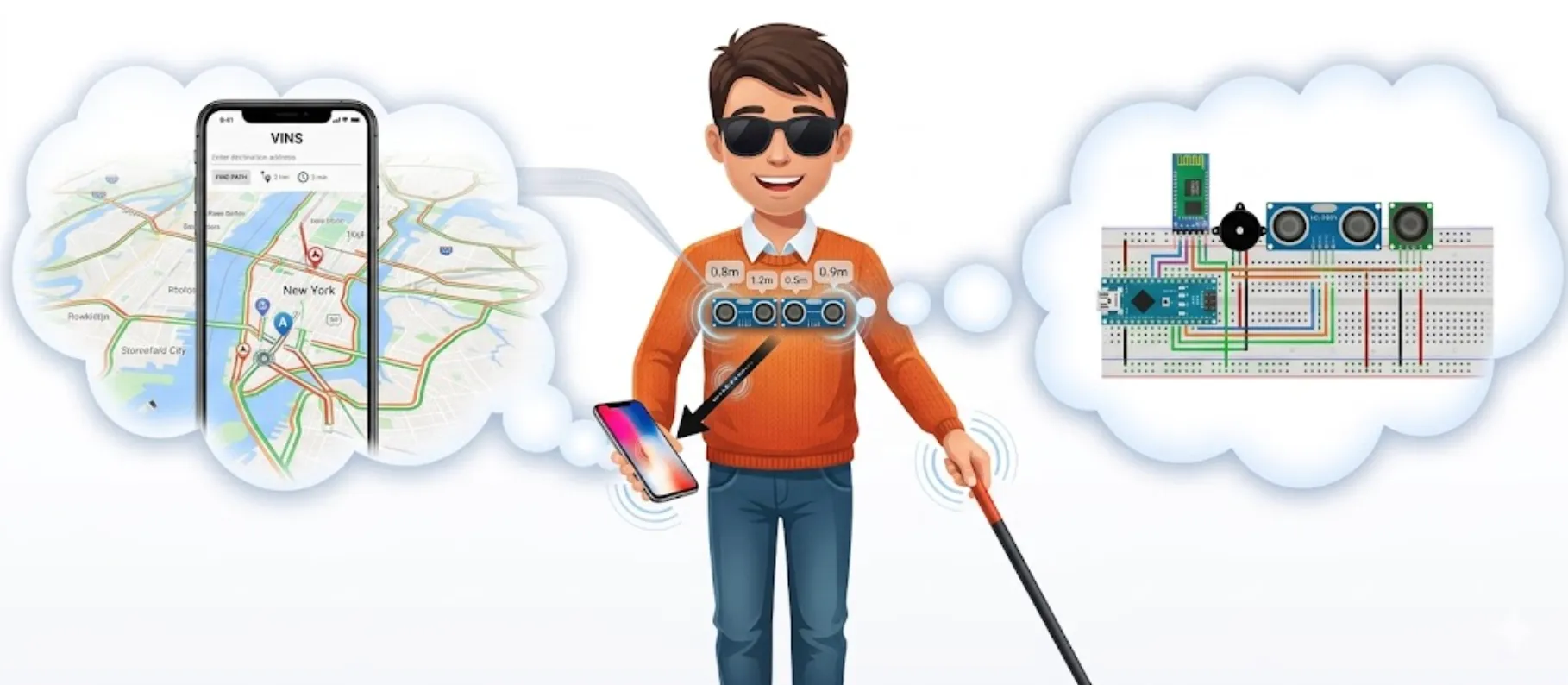
VISN was a hardware-software system designed to work as one. The hardware lived on the body; the software ran on the user's phone; they communicated over Bluetooth in near real-time.
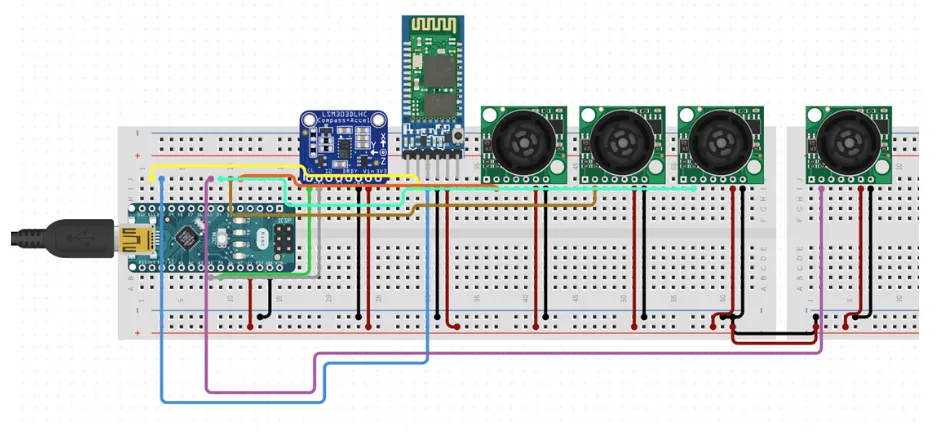
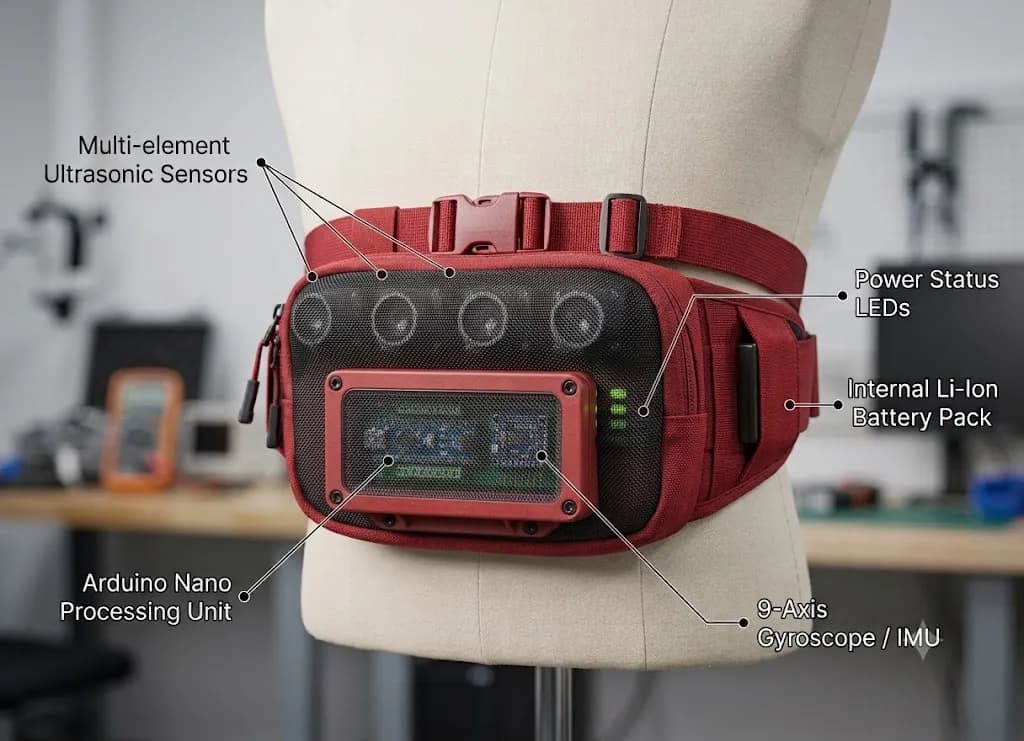
Hardware. An Arduino Nano, four Maxbotix ultrasonic sensors, a magnetometer (compass), and an HC-06 Bluetooth module, all wired into a breadboard circuit and enclosed in a fanny pack worn on the chest. The sensors measured the distance and angle to objects in the user's path. The compass tracked the direction they were facing. All of it streamed to the app.
Software. An Android app built in Android Studio. It pulled Google Maps data for turn-by-turn directions and layered in the live hardware stream, so as the user walked, they heard both their route and real-time obstacle alerts: “Object 3 feet ahead. Please move.”
The decision that mattered the most
We tried a harness first. It held the hardware well: good sensor angles, stable on the body. But it was heavy, conspicuous, and made people feel more disabled, not less. That wasn't acceptable.
The fanny pack was the answer. Worn on the chest, it gave the sensors the right field of view without restricting movement. It was familiar, lightweight, and, critically, something a person might choose to wear anyway. It didn't announce that you needed help.
That decision shaped how I think about assistive technology. The best tools disappear into the life of the person using them. Dignity is a design requirement.
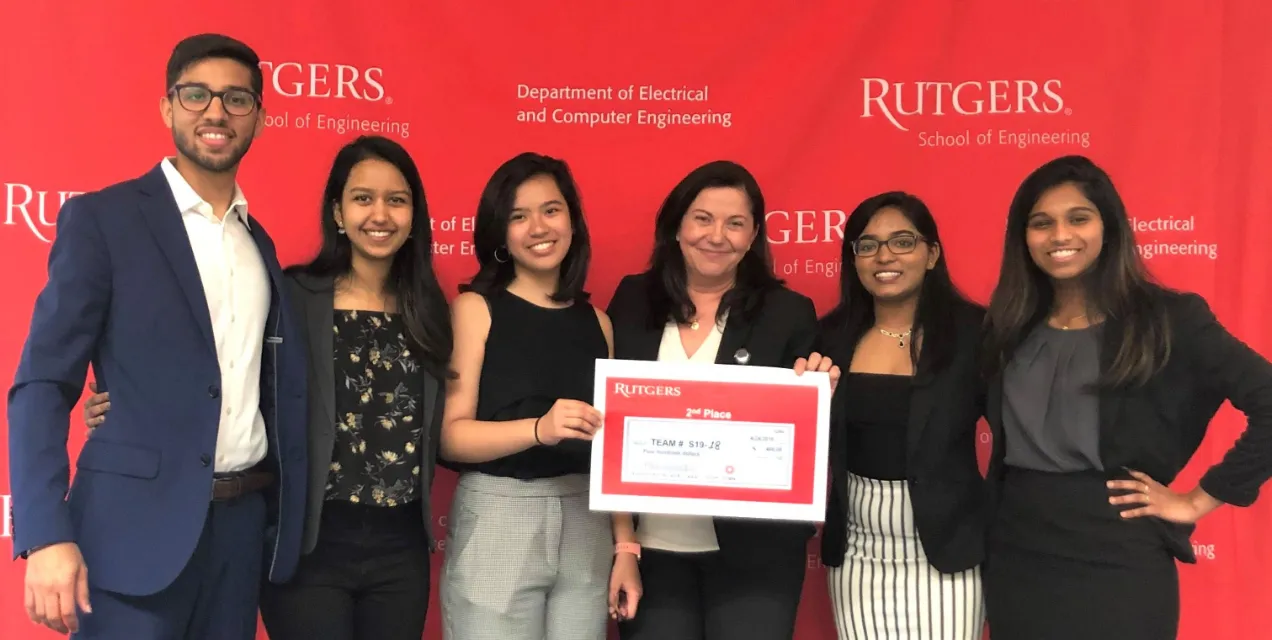
We won our capstone.
We shipped a working end-to-end system: real route guidance from the app, live obstacle detection from the wearable, and a reliable Bluetooth link between the two. In outdoor tests, the experience held together in real walking conditions.
We were also explicit about what was incomplete. Directional left/right guidance from the magnetometer was not production-ready by demo day, indoor positioning remained unreliable, and moving-obstacle handling was out of scope for the capstone timeline.
The outcome was clear: the project direction worked. For four people in four months, it was proof that the core system was valuable, feasible, and worth taking further.
If I built VISN today
I didn't know product design existed as a discipline yet. I was the project manager and engineer, so most of the product calls came from instinct: make it wearable, audio-first, and dignified. If I built VISN now, I'd start with the lived experience first: shadow how blind travelers move through familiar routes, then design for the moments where the unfamiliar breaks down.